When users wanted to clean up their “Continue Watching” list, their only option was to clear their entire watch history. That felt too extreme for most people, and it didn’t match the level of control users expect from a streaming app.
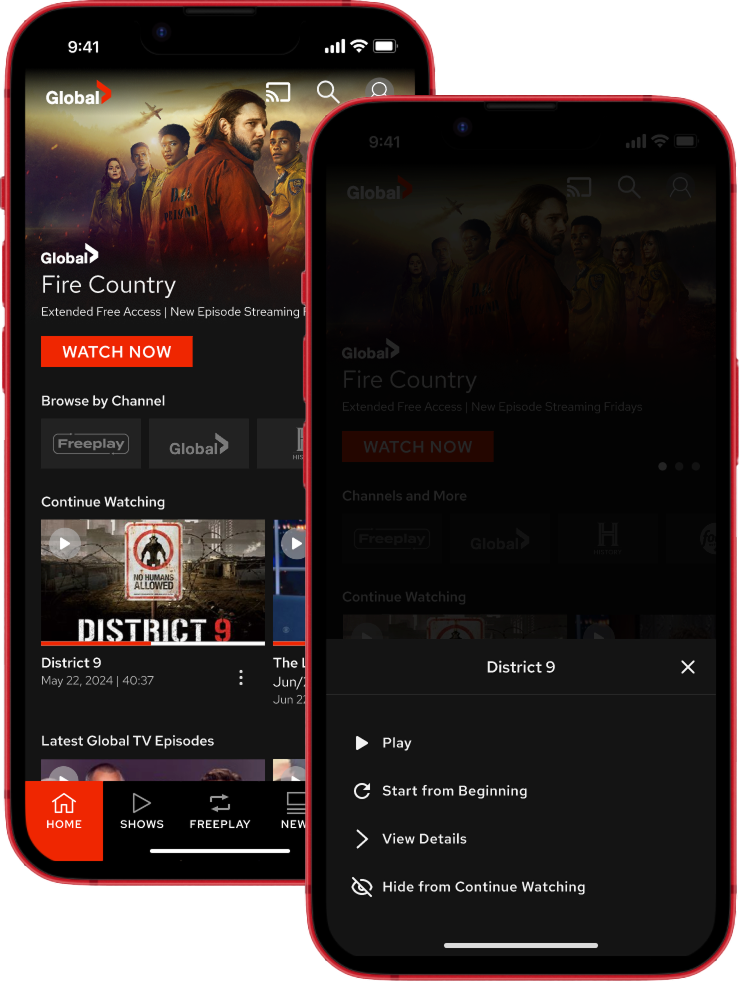
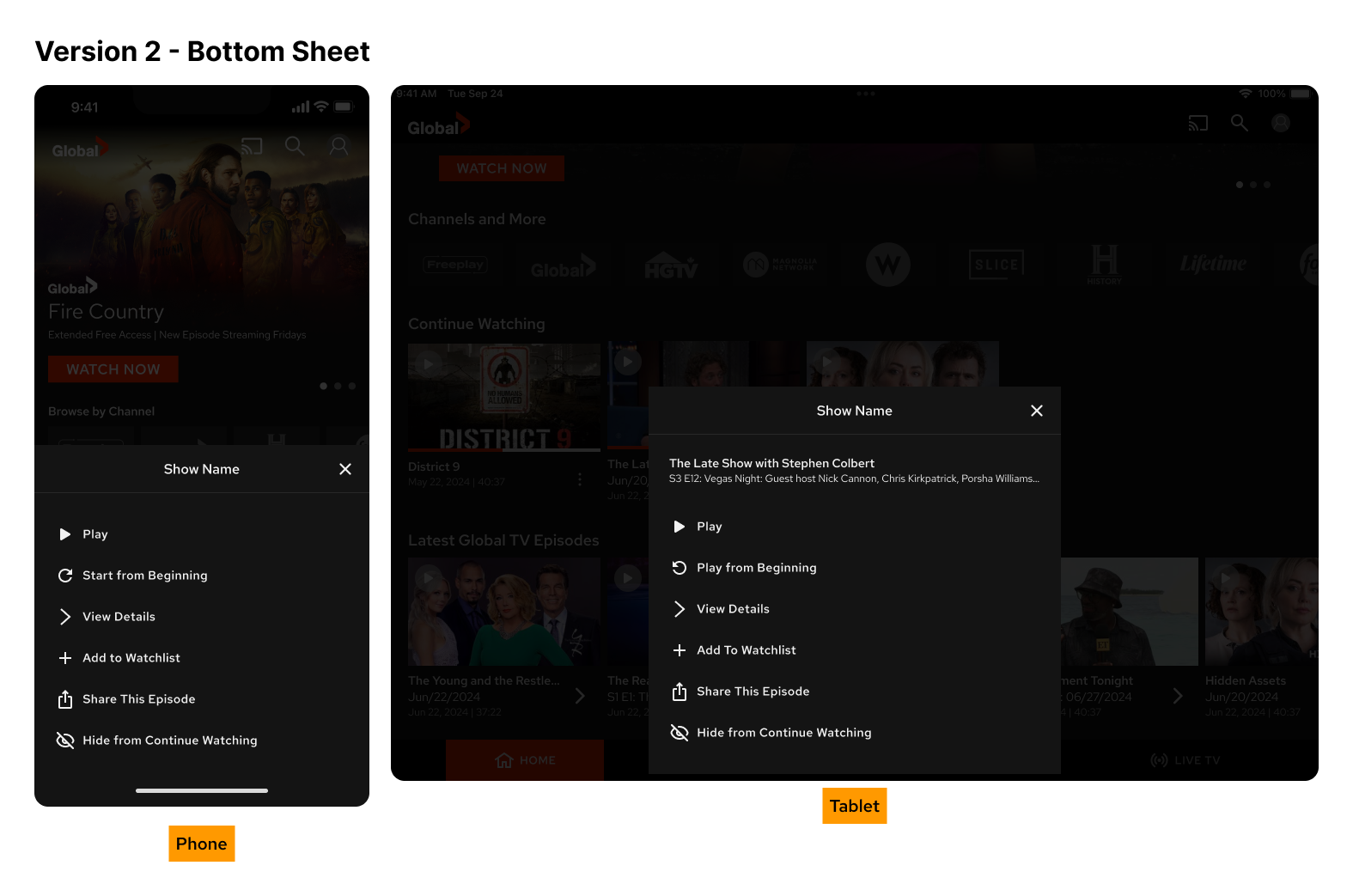
I led the design of a new mobile feature for iOS and Android that made it easy to remove individual shows or movies. By introducing a familiar bottom sheet interaction on phones, and a modal overlay on tablets, I helped create a flexible and scalable way for users to manage what they see on their homescreen.
This feature shipped and is now being reused in other parts of the app, setting the stage for more personalized content controls.
How might we let users manage their “Continue Watching” list without requiring them to delete everything?
Users could not remove individual shows or movies from their “Continue Watching” list. The only option available was to clear their entire watch history, which felt too extreme.
This limited their ability to control what appeared on their homescreen. For a streaming platform, not offering this kind of personal control felt outdated. The product team aimed to offer users a way to manage their lists that aligned with expectations from similar apps.
My Role
I led the full design effort for this feature across iOS and Android. My responsibilities included:
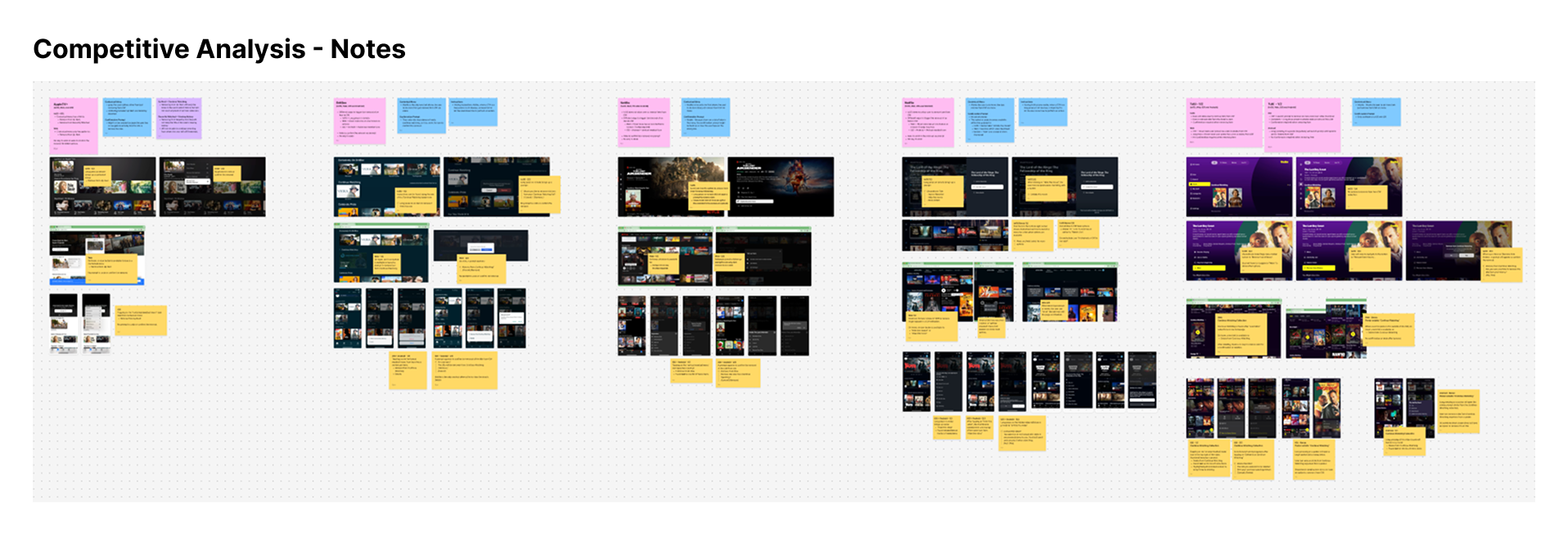
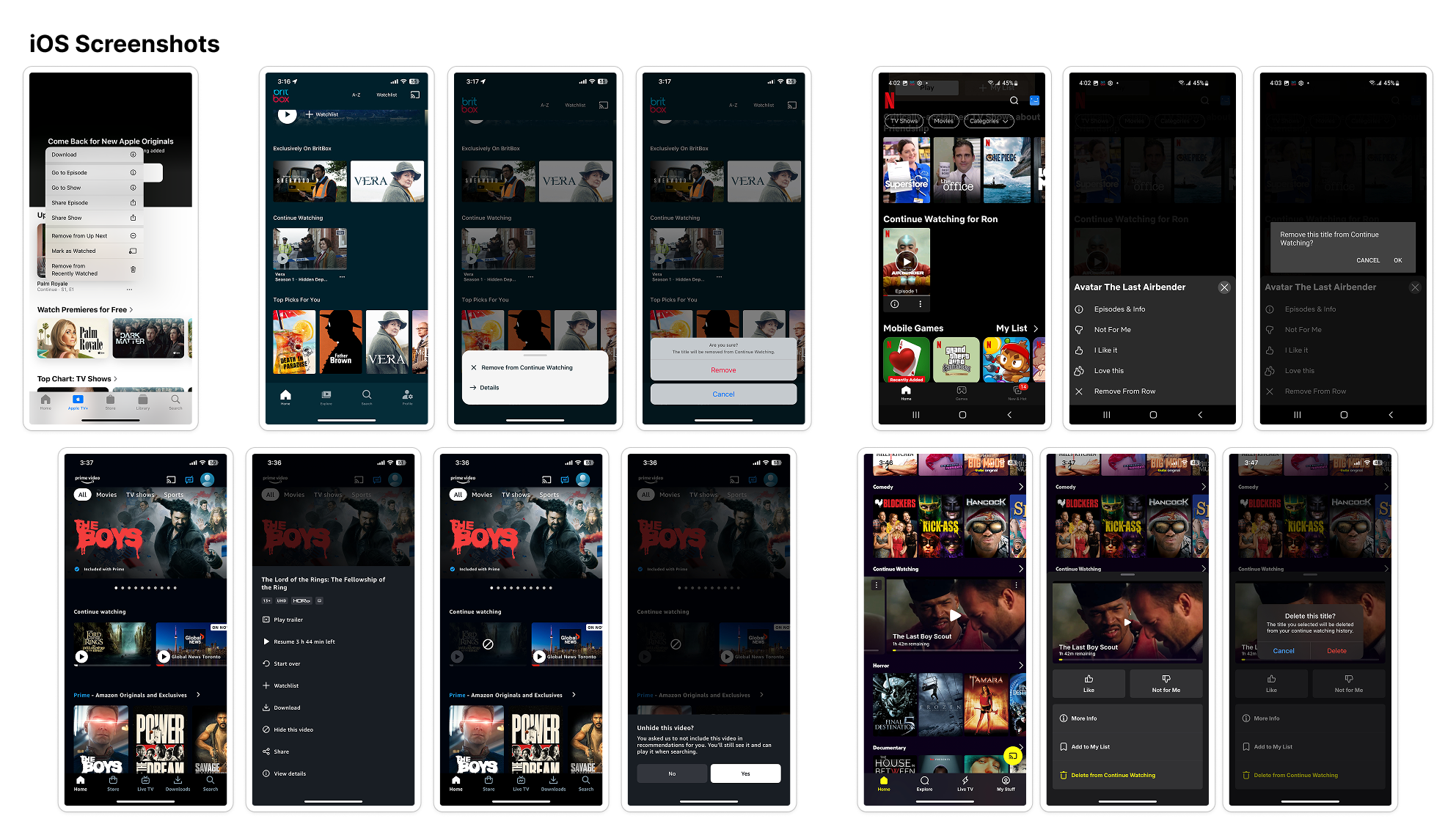
Conducting a competitive analysis and presenting examples from other streaming apps
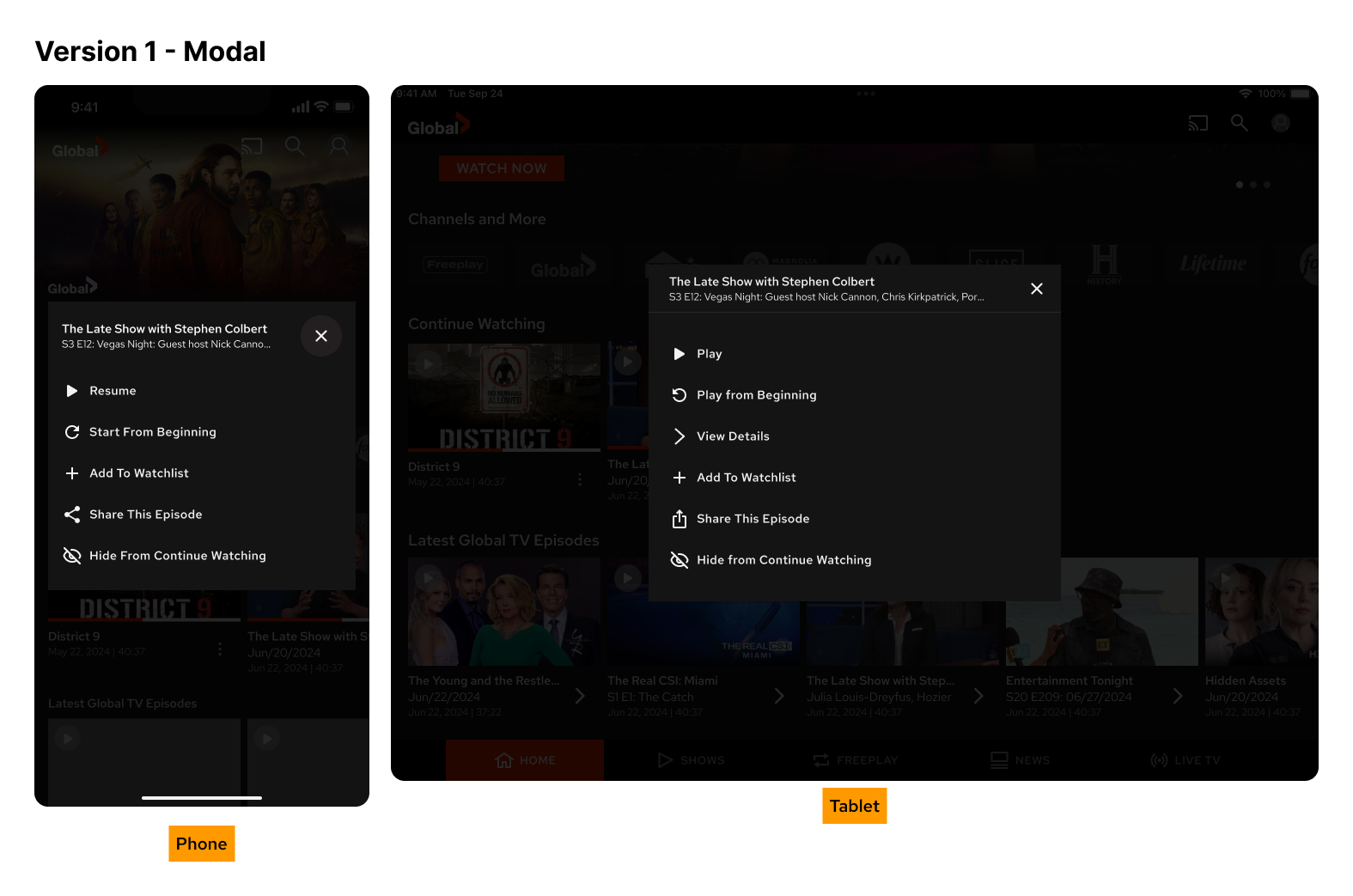
Designing the flow using a bottom sheet for mobile and a modal overlay for tablet
Building high-fidelity prototypes in Figma to show motion and transitions
Collaborating with both iOS and Android developers to confirm feasibility
Delivering specs and annotated mockups for development
Providing design QA and giving final approval before release
Process & Exploration
Research & Insights
We did not run formal testing for this feature. Instead, I started with a competitive audit. I reviewed how other apps, such as Netflix and Disney+, handle recently watched content. Most used either bottom sheets or long-press menus to offer cleanup options.
This gave us confidence that the interaction model was already familiar to users.
Ideation & Concepts
I explored different entry points for this action:
Inline buttons on each title
Long-press menus
A bottom sheet triggered by tapping the title
We chose the bottom sheet for mobile because it aligned with other parts of the app and offered a flexible layout for future actions. On the tablet, the experience felt less natural, so I used a modal overlay instead.
To help plan for future iterations, I also mocked up additional actions, such as “Start from Beginning,” “Add to Watchlist,” and “Share This Episode.”
Design Decisions
Some of the core design choices included:
Using bottom sheets for phones and modals for tablets to fit platform patterns
Including clear action labels: Play, View Details, and Remove from Continue Watching
Adding a confirmation step to prevent users from removing content by accident
Reusing and adjusting components from our Figma library
Making the layout flexible enough to add more actions later
Prototyping and Testing
I created a prototype that showed the whole flow, including animation for the bottom sheet. The product team, QA, and developers reviewed it together.
Since the UI pattern was already typical in many apps, no formal user testing was required. After some internal discussion, no concerns were raised.
I collaborated with QA to test edge cases, including scenarios involving live content or content that cannot be removed. I also reviewed the implementation and gave my final approval before release.
The final flow gave users a simple way to remove unwanted titles from their “Continue Watching” list.
On phones, tapping a title opened a bottom sheet with three actions: Play, View Details, and Remove from Continue Watching. Selecting “Remove” opened a confirmation modal.
On tablets, the same actions appeared in a centred modal instead. Layouts followed native design patterns and were optimized for use across various screen sizes.
Collaboration & Constraints
I worked directly with iOS and Android developers to confirm the interaction was achievable using native UI components.
A few constraints came up:
We did not sync hidden shows across devices for this release to keep the scope manageable
The bottom sheet felt visually weak on the tablet because of the limited number of actions, so I used a modal instead
I provided design specs and worked with QA to review all edge cases and transitions.
Outcome
The feature shipped in the next update of the app. While we did not track formal metrics or user feedback, internal teams were aligned on its usefulness and expected value.
This work also helped us reuse the bottom sheet interaction pattern elsewhere in the app, such as when showing detailed metadata for a show or movie.
Reflection
This was a small but valuable improvement to the overall experience. Even without direct user feedback, the design aligned with common user expectations and industry patterns.
By designing for flexibility from the start, the interaction model can now support a wider range of use cases as the product evolves.